

Job Costing & Pricing Calculator (Thai + English editions)
Fixed price · instant download after payment · no quote needed

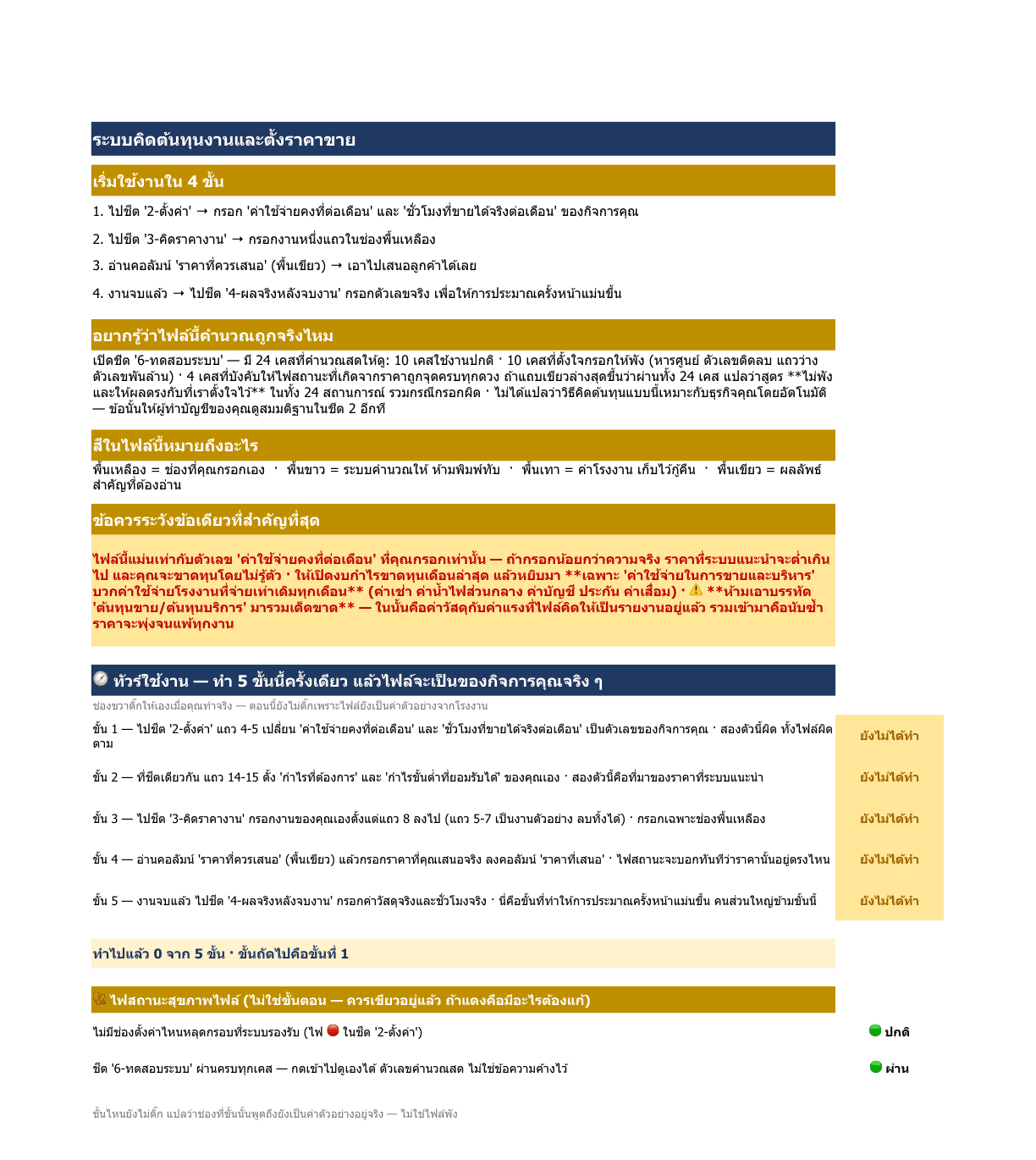
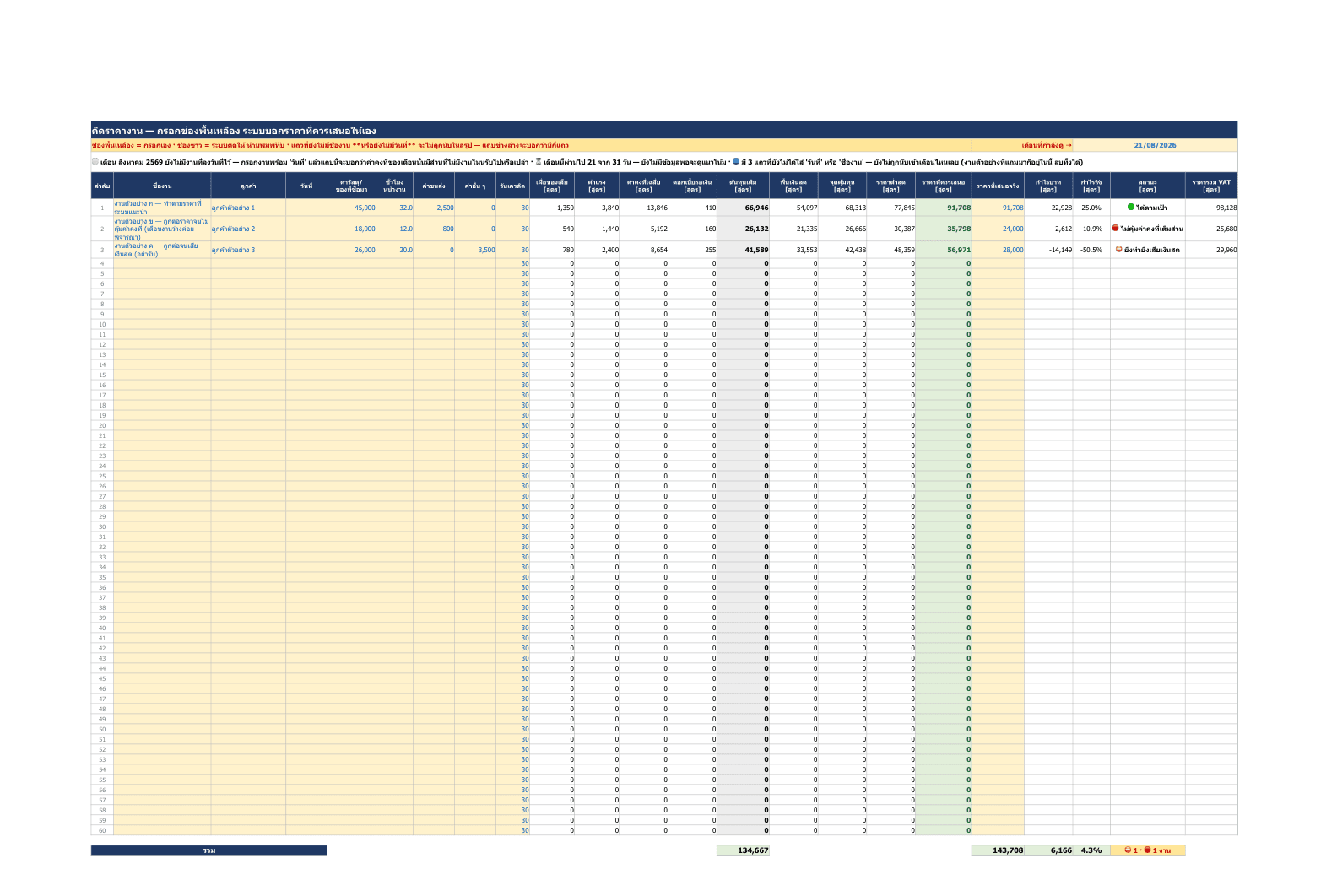
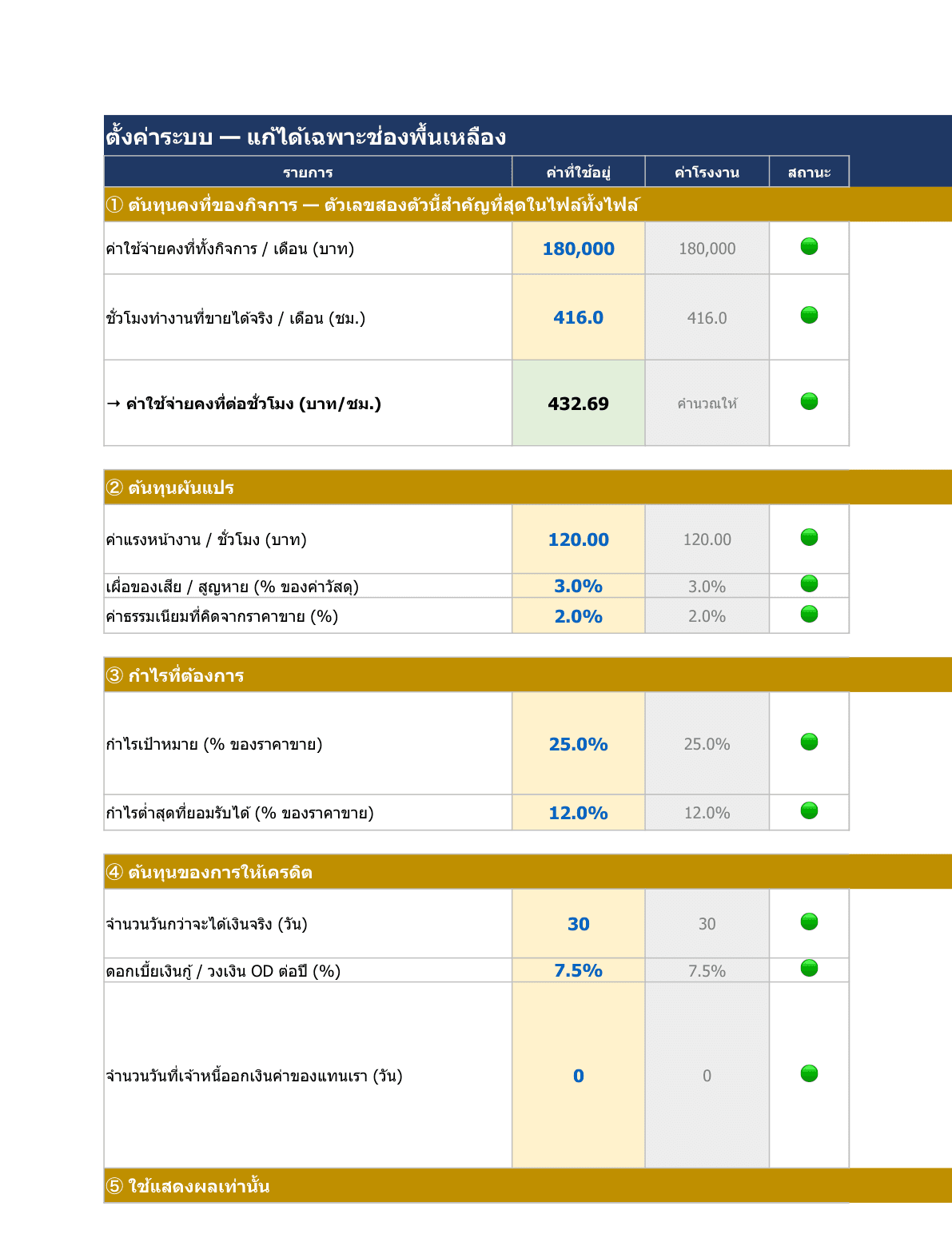
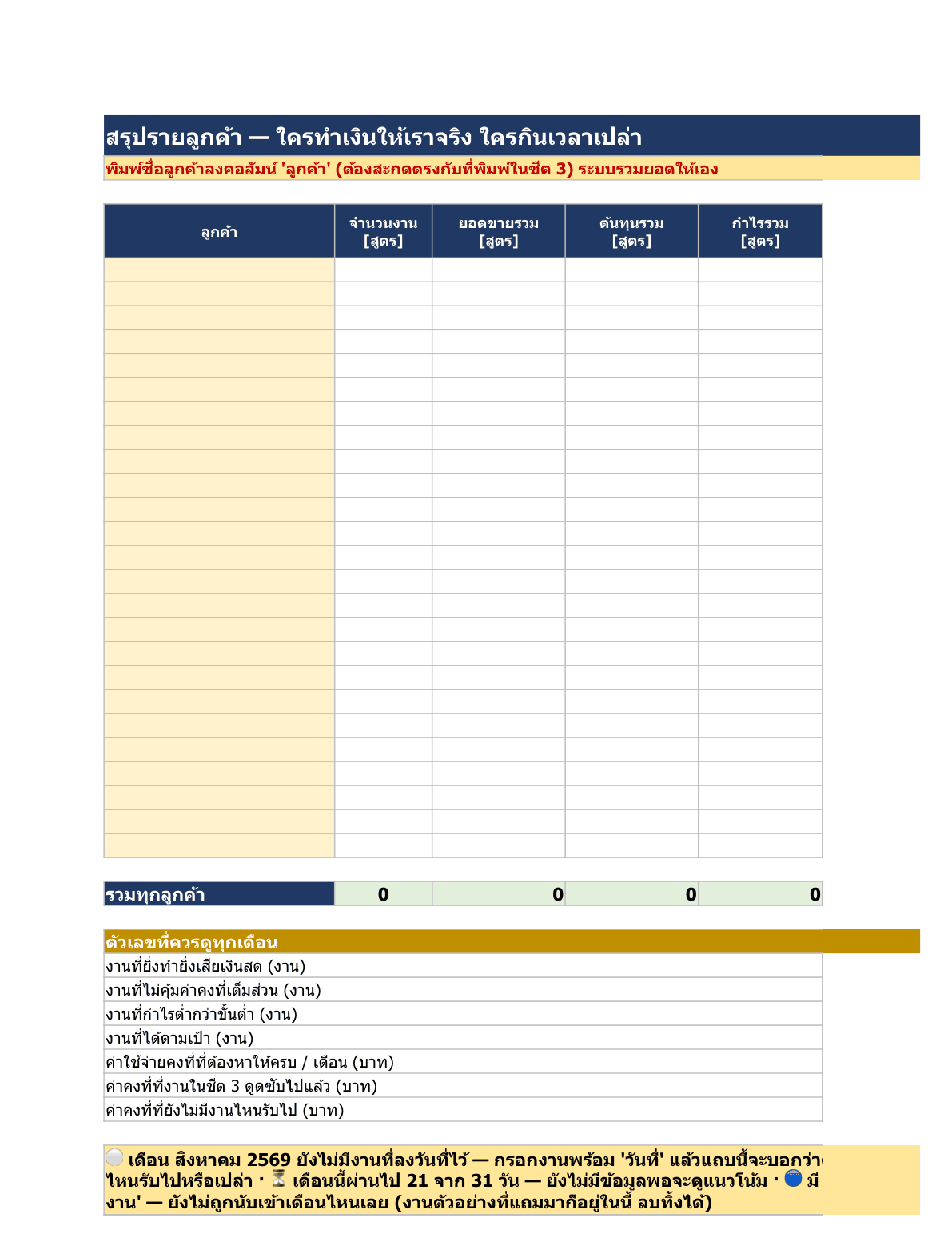
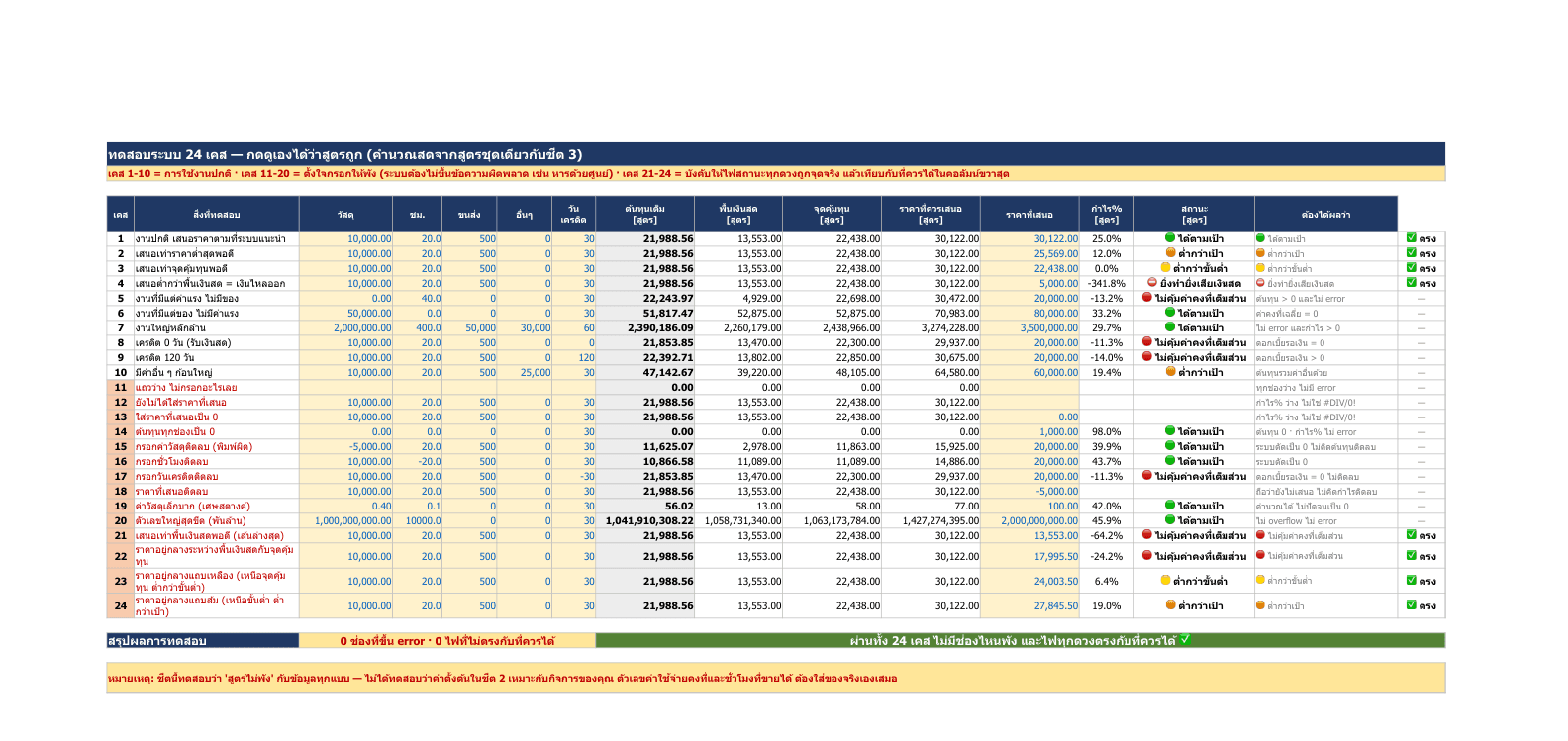
Screenshots of the file you actually receive — the figures shown are sample defaults, and every cell is yours to change.
One purchase, two files. You receive both the English (Thailand) edition shown in the screenshots above and the Thai edition — generated from the same formulas, so the two can never disagree about a number.
An Excel file for businesses that sell work as jobs — enter materials, on-site hours and freight, and it returns the four numbers you have to keep apart when a customer pushes back on price: the cash floor (below it, every job you take drains the bank), break-even, the lowest price that still clears your minimum margin, and the price you should quote. It spreads fixed costs across jobs by the hours you actually sell, and prices the cost of waiting for payment from the credit days — netting off the part your own suppliers finance for you. A five-step status light 🟢🟠🟡🔴⛔ separates "does not carry its full share of overhead, but in a quiet month it beats turning it down" from "take this and real cash leaves the building". It warns when a wage is being counted twice against salaries already sitting in fixed costs. A banner frozen to the top of the pricing sheet shows how much of this month's fixed cost no job has picked up yet, and projects from your actual pace what the shortfall will be — so you can go find work mid-month instead of learning about it when it is too late to fix. Every setting keeps a "factory value" to copy back from when you break something. A self-test sheet runs 24 cases (10 normal, 10 deliberately broken, 4 that force every price-driven status light to fire) so you can see for yourself the formulas hold. The first sheet is a five-step guided tour that ticks itself only once you have done the step for real. One purchase, two files: the Thai edition and this English (Thailand) edition, generated from the same formulas. No macros — Excel, LibreOffice and Google Sheets all open it.
Launch price · until 31 Dec 2026
This price includes 7% Thai VAT (goods ฿933.64 + VAT ฿65.36) — nothing else is added. You are charged ฿999 THB; the US$ figure is an approximate guide at today's rate and your bank converts at its own. Cards from any country are accepted.
- ✓Two editions in one purchase — Thai and English files, identical formulas.
- ✓Download immediately after payment — no waiting.
- ✓The manual lives inside the file (first sheet) — usable without anyone training you.
- ✓Every default is yours to change, and a “factory value” column restores the original when you break something.
- ✓A plain .xlsx with no macros — opens in Excel, LibreOffice and Google Sheets.
- ✓A full Thai tax invoice can be issued — deductible as a company expense (registered company).
- ✓Buy in your company’s name — enter the company name and 13-digit tax ID at checkout and we issue the tax invoice to match.
Pay by PromptPay or credit/debit card through Stripe (secure, industry-standard encryption).
Refundable within 7 days, no reason required · purchase terms
What support covers
This is a finished file sold outright, once. It does not include installation, training or per-customer customisation — the common questions are answered in the manual inside the file.